A useful thing to take with you

Less scrambling.
More shooting.

Use this free shot-list worksheet to plan coverage on paper. Choose 4, 6 or 8 shots per page, add your production title and print a blank sheet—or use your browser’s Save as PDF option. No account, email or app installation is required.

Free worksheet available now. App launch is separate.

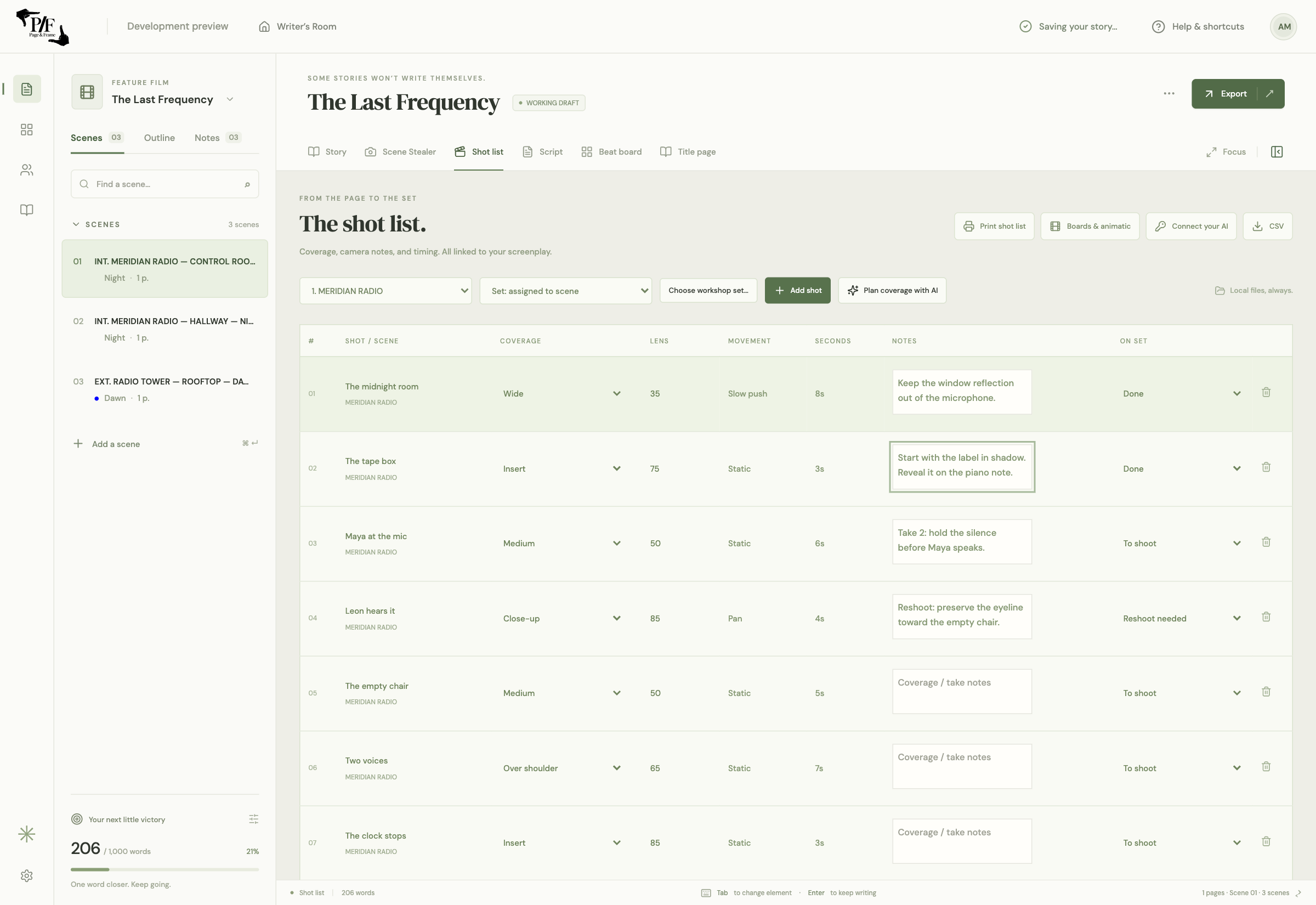
Page & Frame application shot list with scene-linked camera setups, descriptions and status controls.
Want saved camera frames too? This is the app’s shot-list workspace.

Yours to use

Make your sheet.

Nothing to download or sign up for. Your title is not uploaded.

Preview below · The browser print dialog opens only when you choose Print. Use its Save as PDF destination for a PDF file. The sheet has no uploaded images or app-project data.

SHOT LIST

My next film

Date: __________
Director / Camera: ______________

Frame / sketch
Scene ______   Shot ______

Action / description __________________________________

Size / lens ______________   Movement ______________

Notes __________________________________________
________________________________________________

□ Done    □ Reshoot

Frame / sketch
Scene ______   Shot ______

Action / description __________________________________

Size / lens ______________   Movement ______________

Notes __________________________________________
________________________________________________

□ Done    □ Reshoot

Frame / sketch
Scene ______   Shot ______

Action / description __________________________________

Size / lens ______________   Movement ______________

Notes __________________________________________
________________________________________________

□ Done    □ Reshoot

Frame / sketch
Scene ______   Shot ______

Action / description __________________________________

Size / lens ______________   Movement ______________

Notes __________________________________________
________________________________________________

□ Done    □ Reshoot

Frame / sketch
Scene ______   Shot ______

Action / description __________________________________

Size / lens ______________   Movement ______________

Notes __________________________________________
________________________________________________

□ Done    □ Reshoot

Frame / sketch
Scene ______   Shot ______

Action / description __________________________________

Size / lens ______________   Movement ______________

Notes __________________________________________
________________________________________________

□ Done    □ Reshoot

Page & Frame · Free shot-list worksheet · Level Up Classroom Inc.

6 shots · US Letter

01

Start with the coverage, then the camera details.

Give each shot a scene and shot reference so you can find it again. Describe what happens or what the shot needs to communicate. Add framing, lens and movement if those choices are already useful; leave them open when they are not. Use the frame box for a sketch or a handwritten reference. The blank sheet does not import screenplay text or saved 3D frames. It is deliberately simple enough to use on its own.

02

Choose a layout for the day you are planning.

Use four shots per page when you want larger sketches and more handwriting space. Six is a middle ground for a conversation or short sequence. Eight makes a compact checklist for setups that need fewer visual details. Choose Letter or A4 to match your paper and check the browser print preview before saving or printing. Turn off browser headers and footers if they crowd the sheet. This worksheet produces one blank page at a time; print extra copies for a longer list.

03

Keep completion and reshoots separate.

Mark Done when you have the take or coverage you need. Mark Reshoot when you need to return, and add a reason in notes: focus, continuity, performance, sound or a missing insert. A checked box is not a substitute for reviewing whether the material works. Keep the sheet with your scene notes so a later decision has context. If the shooting order changes, keep the shot references consistent rather than renumbering everything in the moment.

04

Move from a blank sheet to a visual project.

The worksheet is available now, independently of the upcoming app. Page & Frame’s integrated shot list adds scene links, editable shot details, saved camera-frame thumbnails and project status. Its print workflow offers 4, 6 and 8 shots per page, notes and completion checks, with long text continued in an appendix. Explore that workflow if you want the screenplay, 3D staging and printed references to stay connected. Public app downloads and purchases are not open yet.

Is the worksheet free for a film project?

Yes. You may print and use these blank worksheet pages for your own film planning, including commercial productions. Your production title stays in this browser; we do not upload it. This permission covers the blank worksheet, not the app, logo or product screenshots.

The whole creative workspace

Write it. Build it.
See it.

Page & Frame brings screenplay writing, story planning, reusable 3D sets and visual shot planning together.

US$69.99 launch · US$99.99 planned regular · plus applicable tax

Planned one-time purchase for one computer. Lifetime use of the purchased major version and its updates; future major upgrades may cost extra. Apple Silicon Mac/macOS 13+ first. Windows and Intel Mac downloads are not offered at launch.

Join the launch list ↗