Final Draft & Previs Pro alternatives
From first page
to first frame.
Write the screenplay. Build the set. Find the shot. One connected desktop studio for the story you want to tell.
Take a look insideThe studio, in action
A place for the whole story.
Explore original Scene Stealer frames, then step inside the writing, planning and production workspaces.
 View full frame ↗
A furnished office with three characters, a working desk, seating, bookshelves, plants and layered lighting.
After HoursEstablish the space After HoursAcross the desk
 After HoursRead the reaction
 The Last PickupGo outside
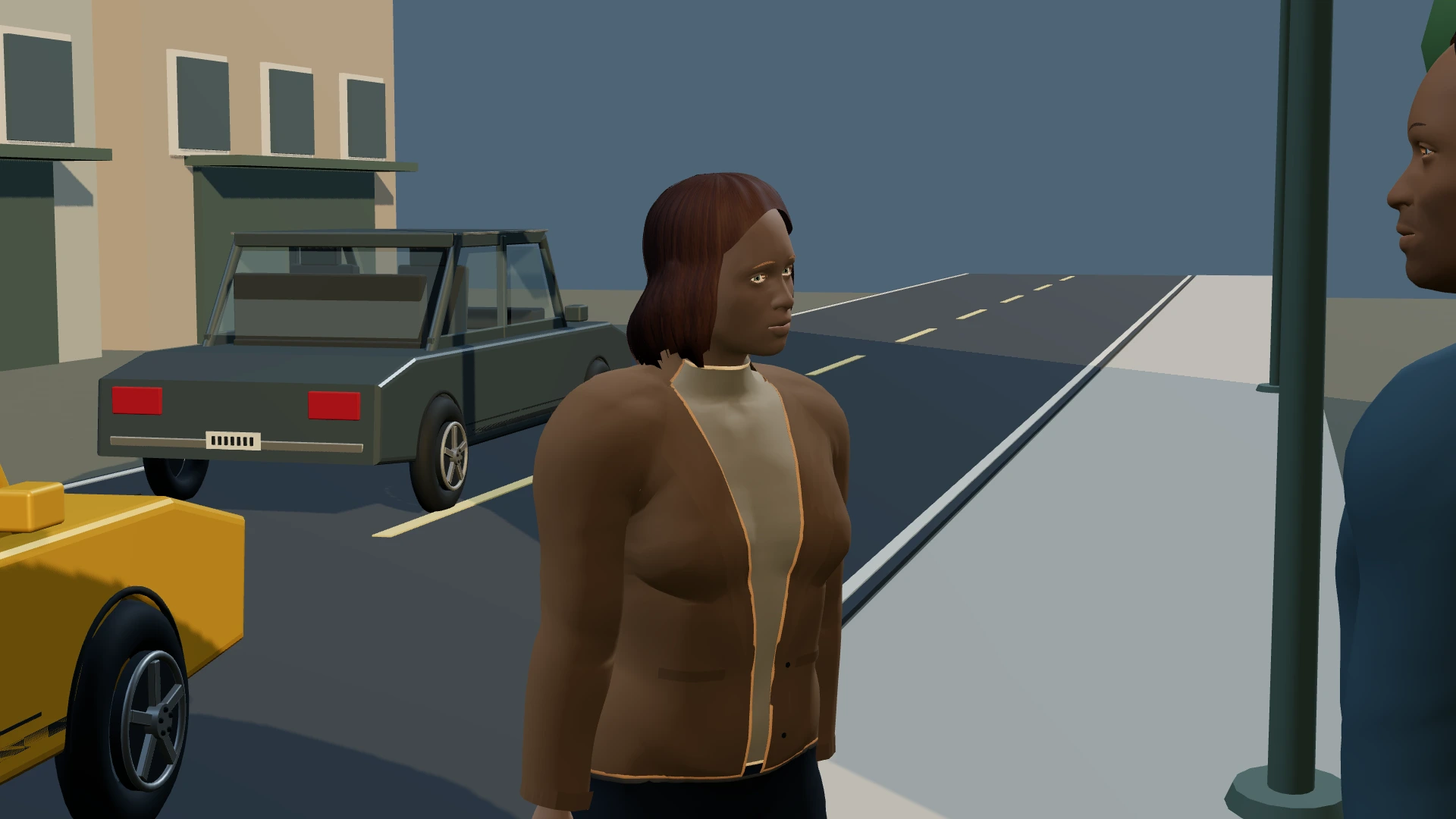 The Last PickupOver the shoulder
 The Last PickupMove in close
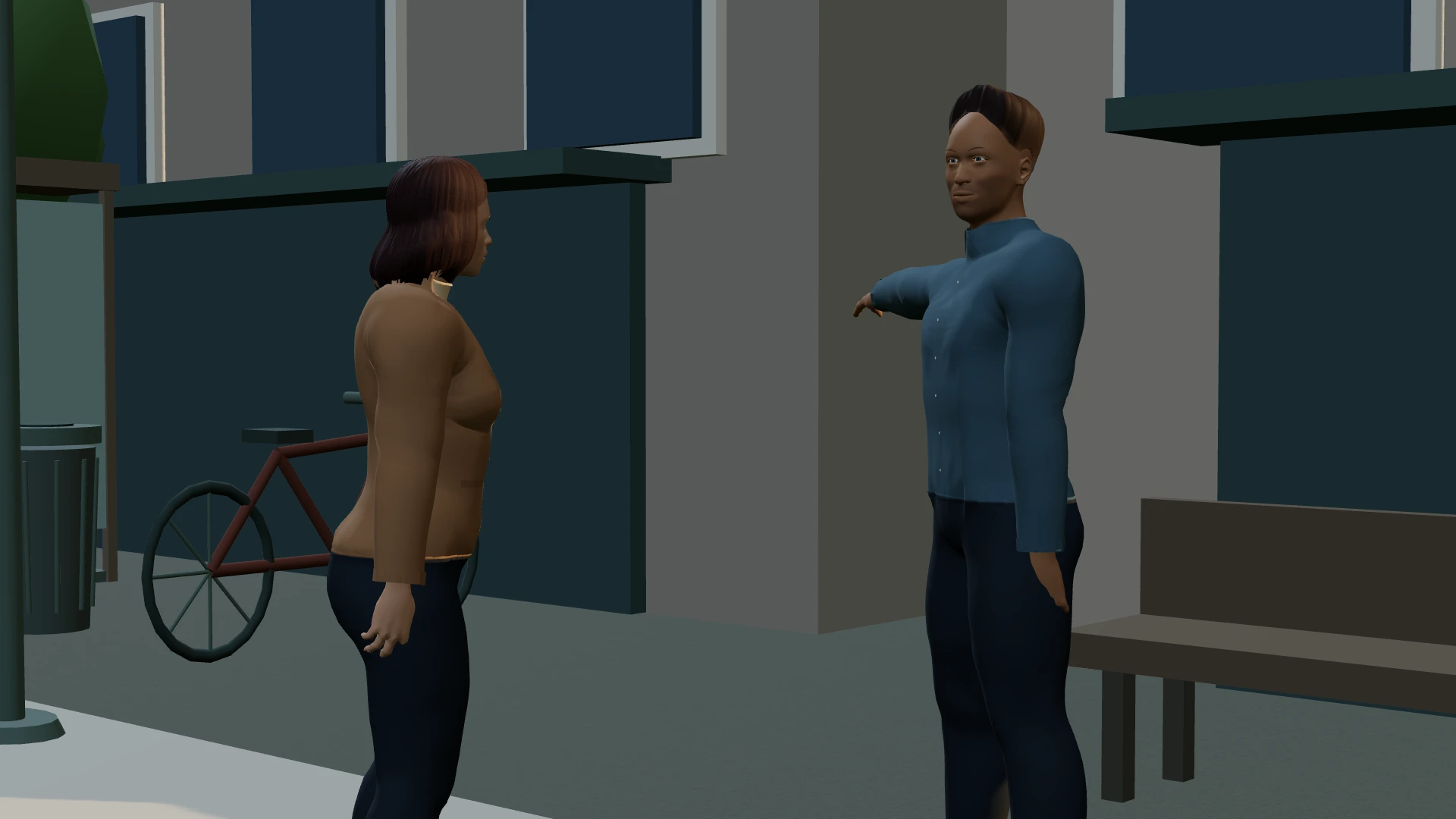 The Last PickupChange the angle
Actual 3D frames rendered by Scene Stealer · Original scenes from the upcoming beta. Models and appearance are still being refined.
See how the workspaces connect
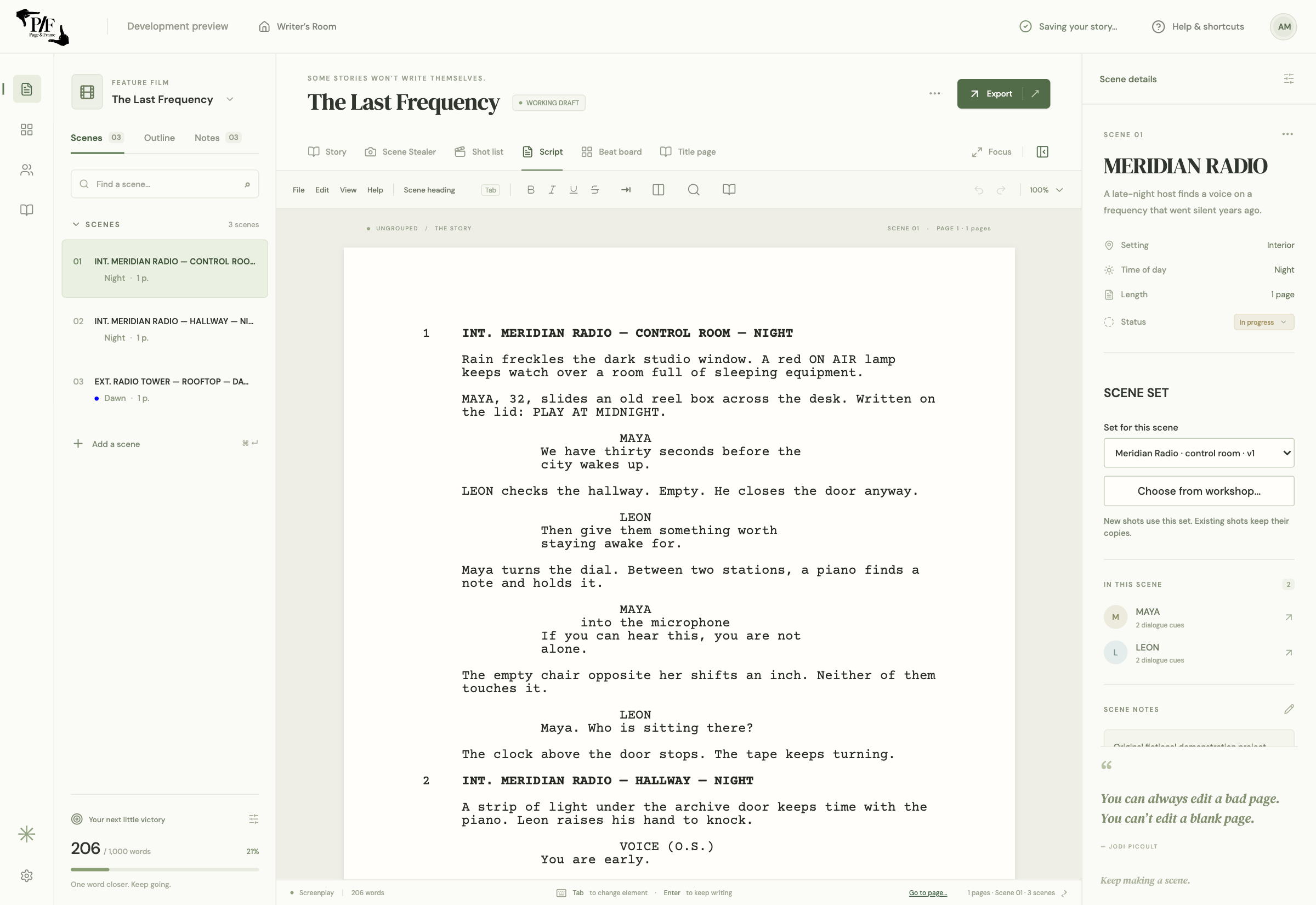
Formatted screenplay pages, scene navigation and dialogue controls.
Select image to enlarge ↗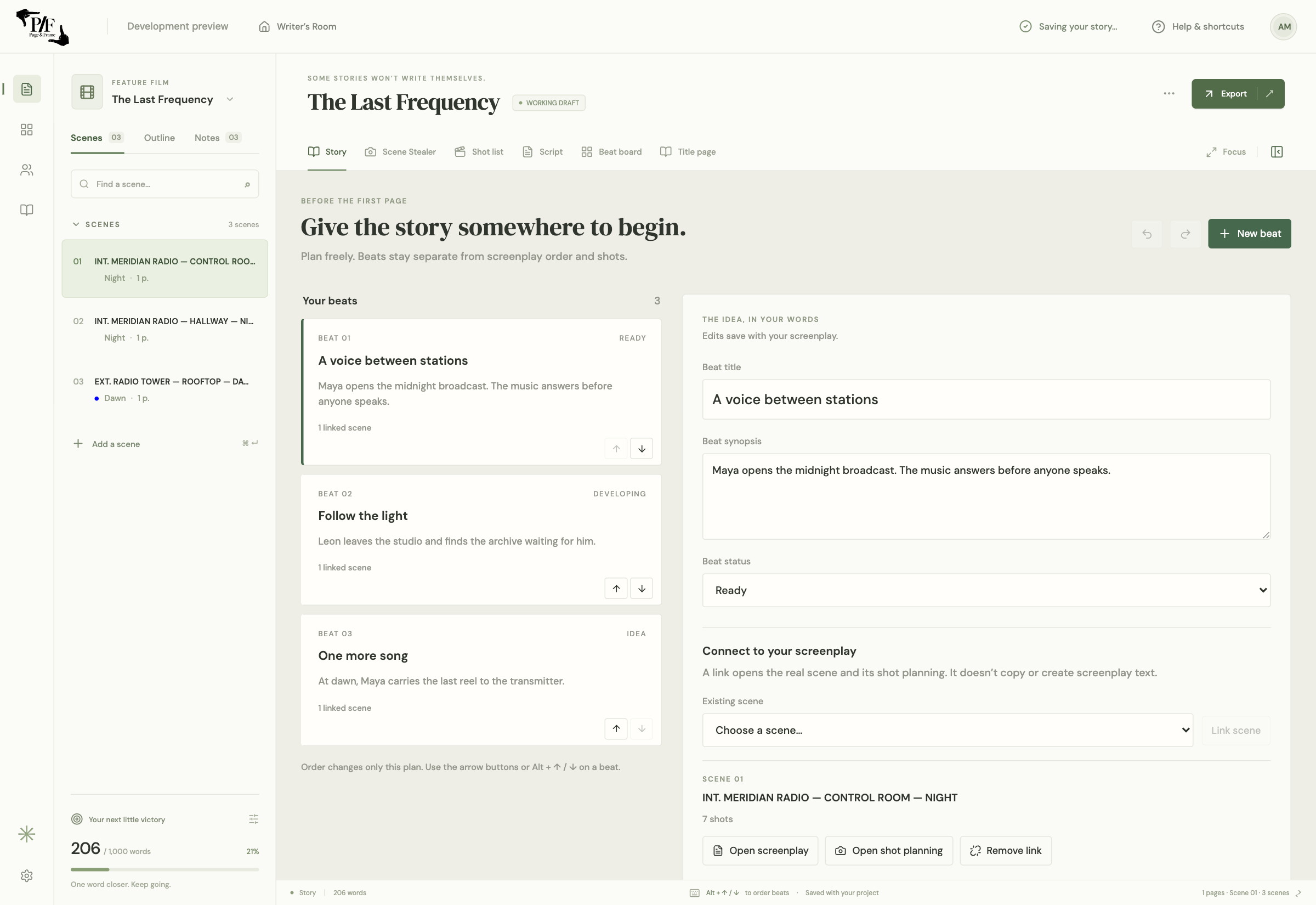
Original story beats with summaries and links to screenplay scenes.
Select image to enlarge ↗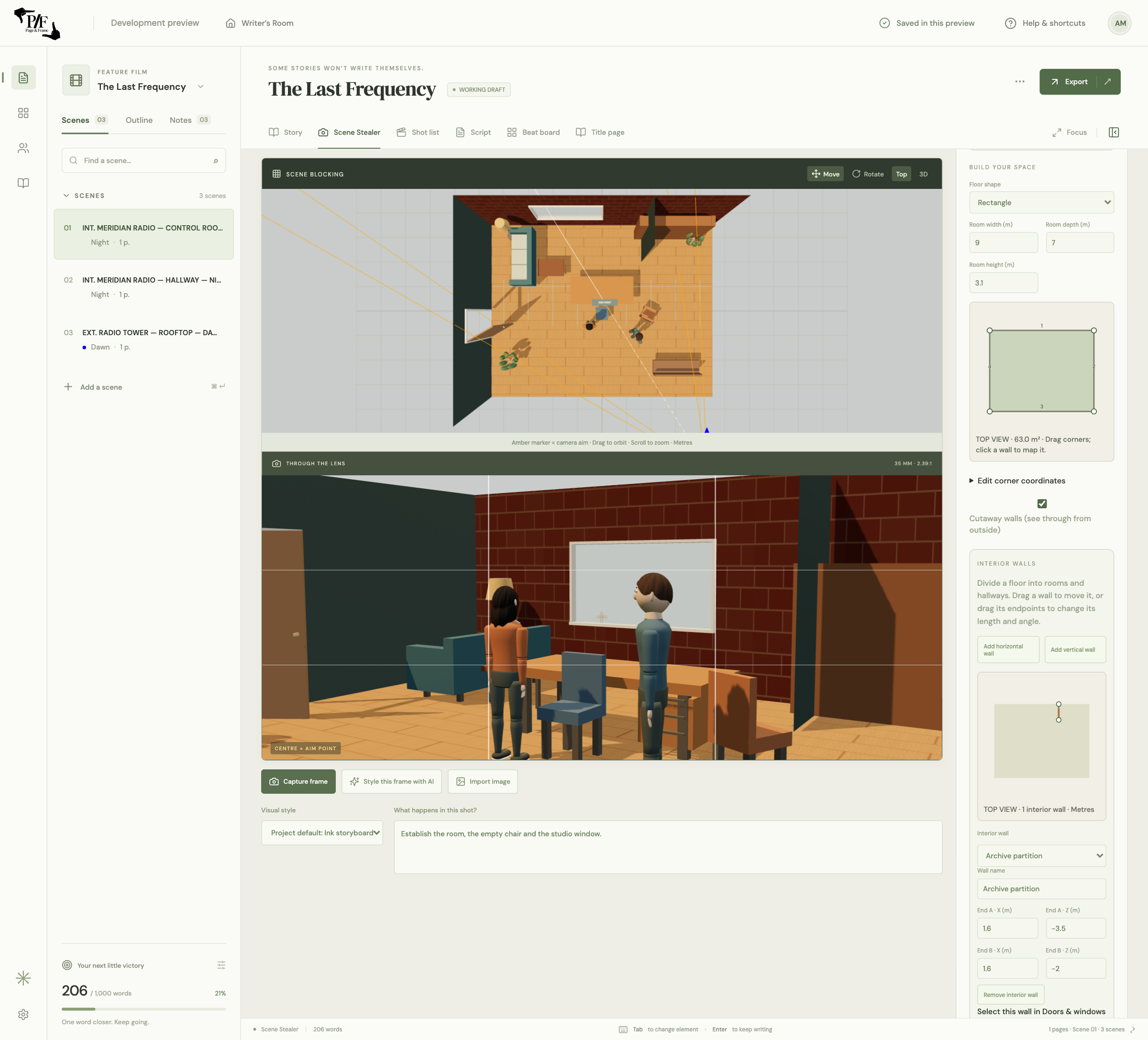
A radio-station set with a floor plan, walls, openings, materials and props.
Select image to enlarge ↗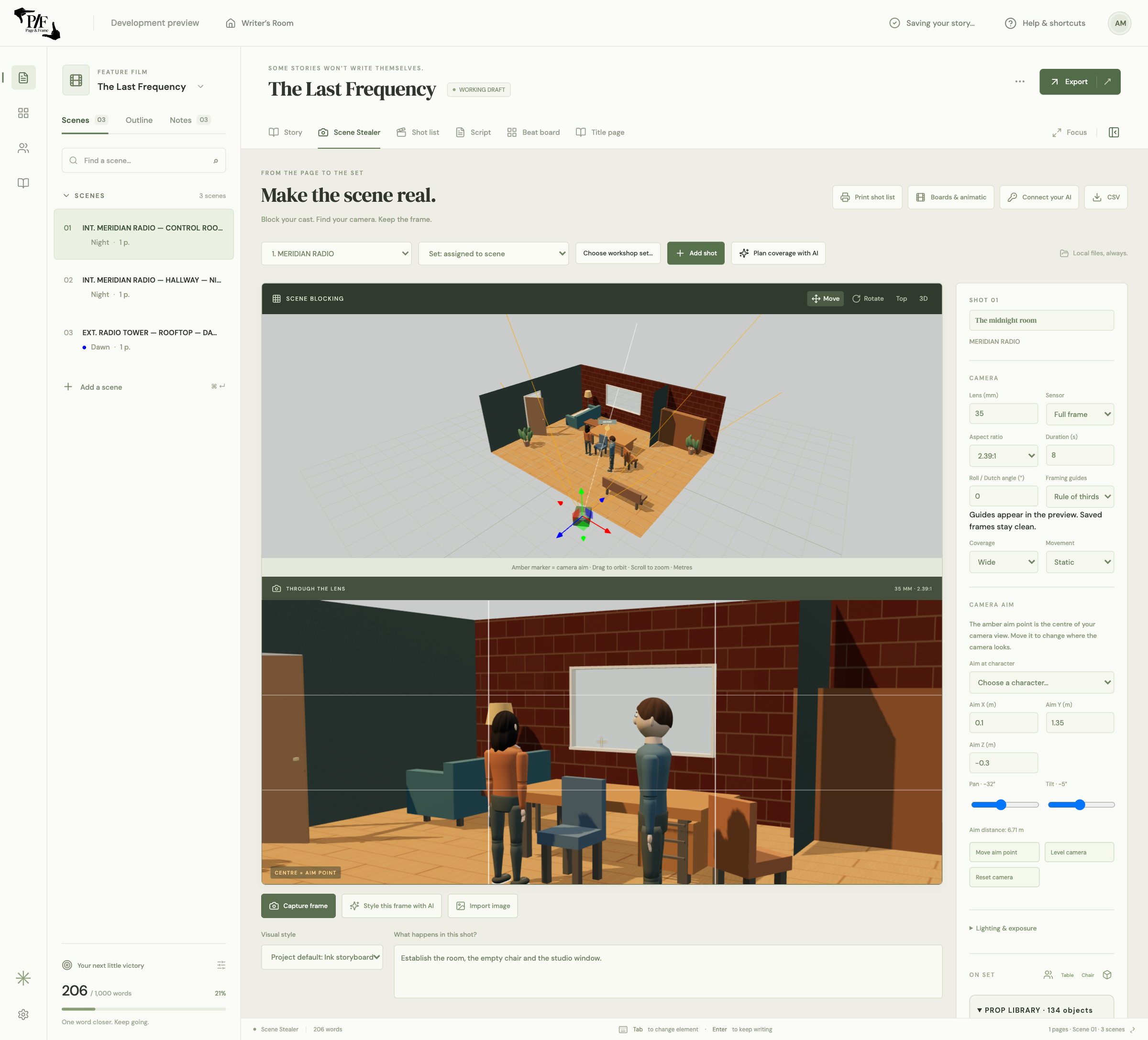
The actual 3D blocking view and camera preview for the radio-station scene.
Select image to enlarge ↗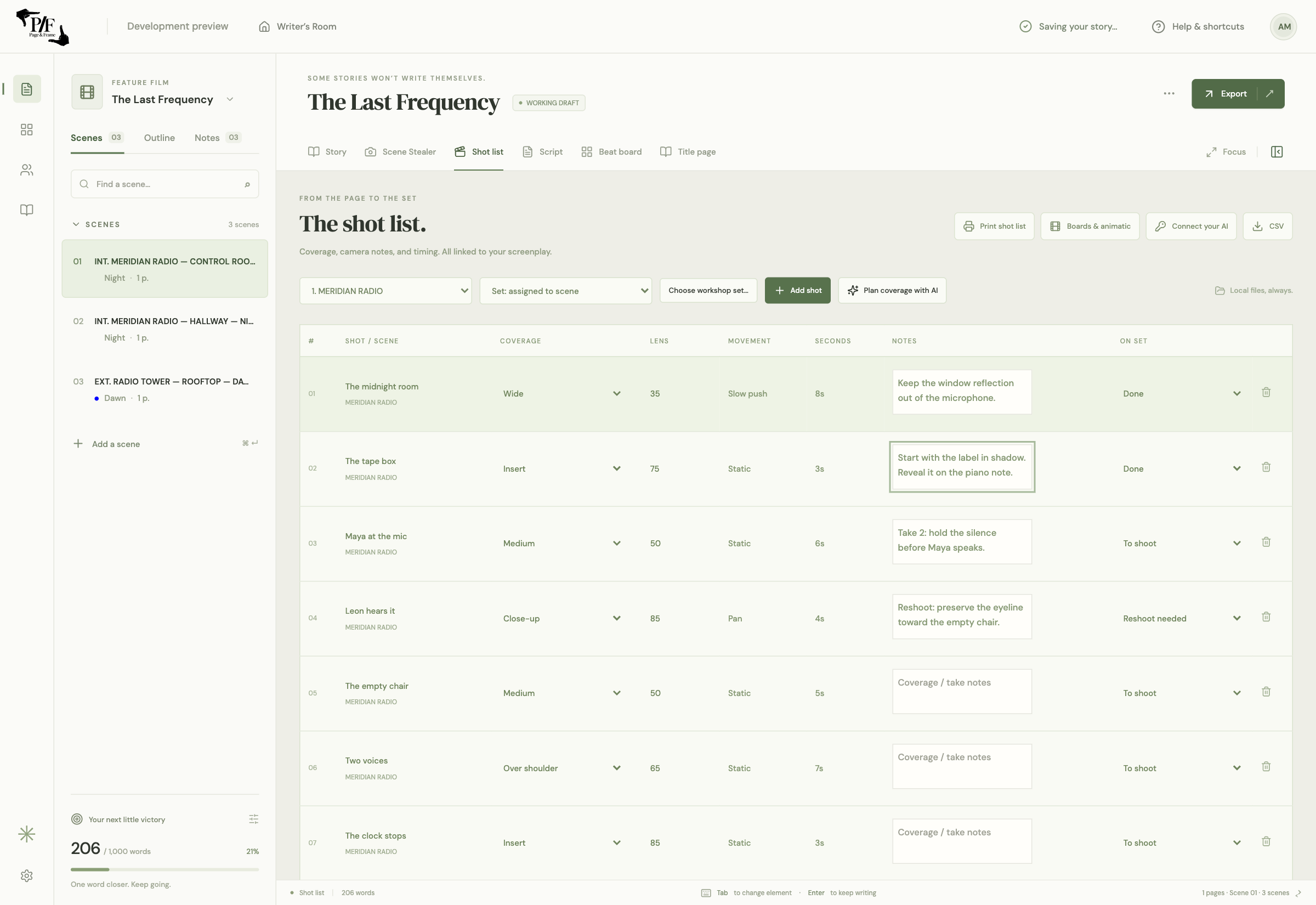
Nine original shots with lens choices, timing, editable notes and on-set status.
Select image to enlarge ↗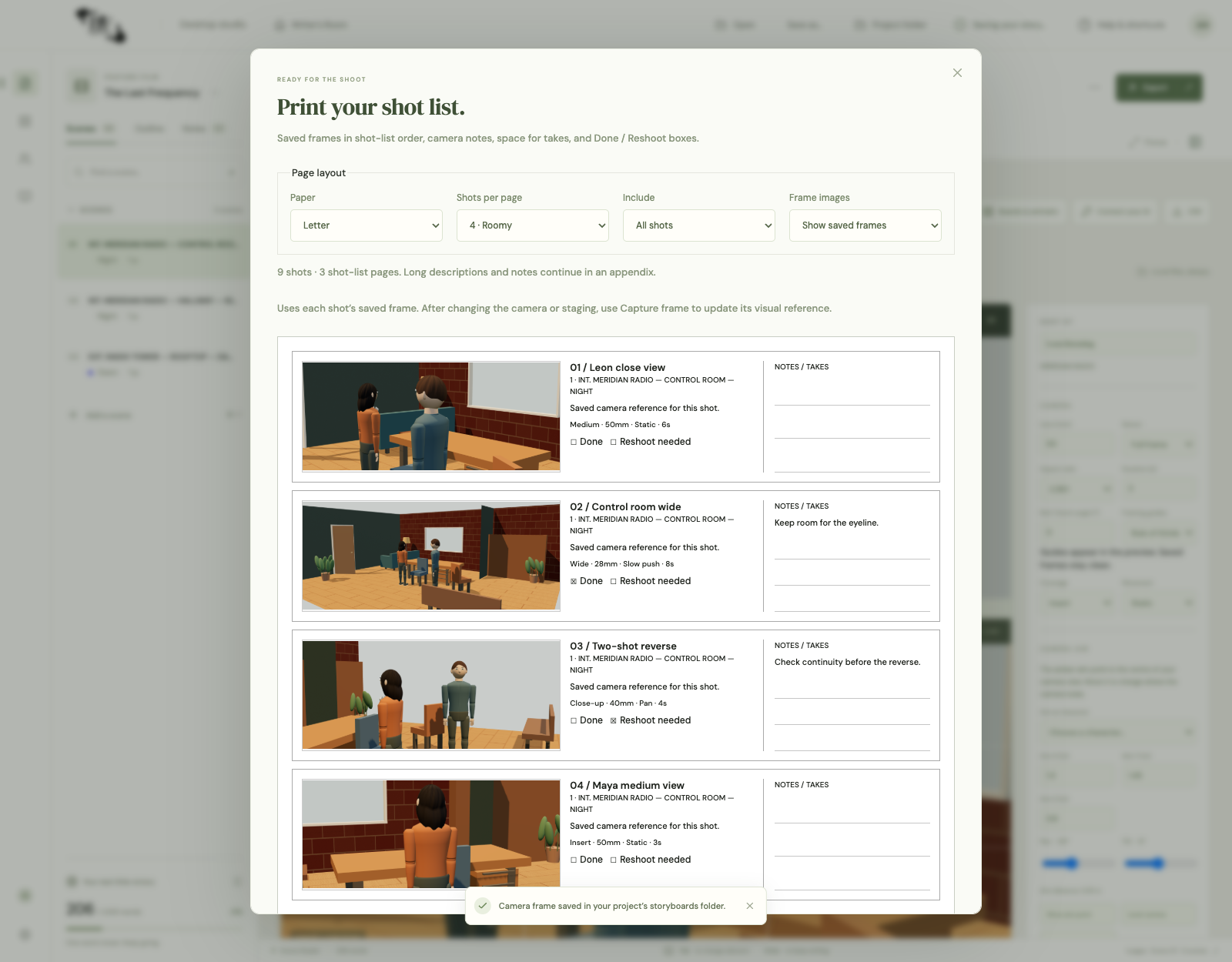
Saved camera frames in shot-list order, notes space and Done / Reshoot boxes.
Select image to enlarge ↗Screenshots from the upcoming Mac beta. Select an image for the full-size view. Features and appearance may change before release.
The tools, side by side
Find your fit.
Specialist tools have their strengths. Page & Frame brings writing, reusable sets and shot planning into the same local project.
| App | Writing & planning | Sets & visual planning | Pricing (USD) | Availability |
|---|---|---|---|---|
| Page & FrameOur desktop studio | Connected writing, story planning, set design and shot planningWrite natively or import FDX, then save a local project | Scene-linked shots, reusable sets, storyboard PDFs and silent WebM animatics | US$69.99 launch US$99.99 regular Announced; sales not openCore tools require no AI subscription; optional provider usage is separate | Apple Silicon Mac beta being prepared; Windows planned |
| Final Draft 13 | Screenplay writing, outlining and production revisionsNative screenplay formatting and revision tools | Beat Board and outlining tools | US$199.99 displayed offer US$249.99 listed priceSuite: US$69.99/year displayed offer (US$99.99 listed), or US$16.99/month | Mac and Windows desktop |
| Previs Pro | 3D previsualization, storyboards and animaticsImport screenplays into visual shot planning | Sets, cameras, actors, poses, AR and animatic/export options | US$359.99 lifetime optionFree tier; US$119.99/year or US$39.99/month; AI usage separate | Mac, iPad and iPhone |
Prices checked November 5, 2026: Final Draft · Previs Pro. USD; offers, regional pricing, taxes and licence terms vary. Device allowances also differ: Page & Frame plans one computer; Final Draft lists two activations, while Previs Pro lists up to five devices. Scroll the table to see all products on smaller screens.
Compatibility & release status
The Apple Silicon Mac beta is coming soon, with Windows planned. Join the launch list for availability. Downloads and purchases are not open yet.
FDX import is the intended launch path for existing Final Draft scripts. Full revision/version-history transfer, guaranteed edited round trips and exact page-for-page parity are deferred. Keep your original and review imported work.
Our current build exports storyboard PDFs and silent WebM animatics. Previs Pro’s AR, FaceCap/PoseCap, animated-camera and MP4/NLE workflows are not covered. Each app has its own strengths; Page & Frame does not include every feature of these specialist tools.
Purchase, AI & project privacy
The announced price is US$69.99 at launch and US$99.99 regular. The planned one-time purchase covers one computer and lifetime use of the purchased major version and its updates; future major upgrades may cost extra. Applicable tax is added at checkout when sales open. Optional AI usage is billed separately by your provider.
Core writing and planning use local project files. Optional AI uses your own provider key, sends the requested material to that provider and may incur separate charges. The launch list stores your email and platform preference, not your screenplay.
This comparison is written by Level Up Classroom Inc., Page & Frame’s publisher. Competitor information comes from the linked official pages; Page & Frame screenshots and features shown here preview the upcoming Mac beta.
Your next story starts here
Make room for it.
Hear when Page & Frame is ready for your desk.
Published by Level Up Classroom Inc. Page & Frame is independent and is not affiliated with or endorsed by Final Draft or Previs Pro. Joining the list is free and does not reserve a licence or guarantee a beta place.