The page comes first
Your screenplay.
Your space to write.
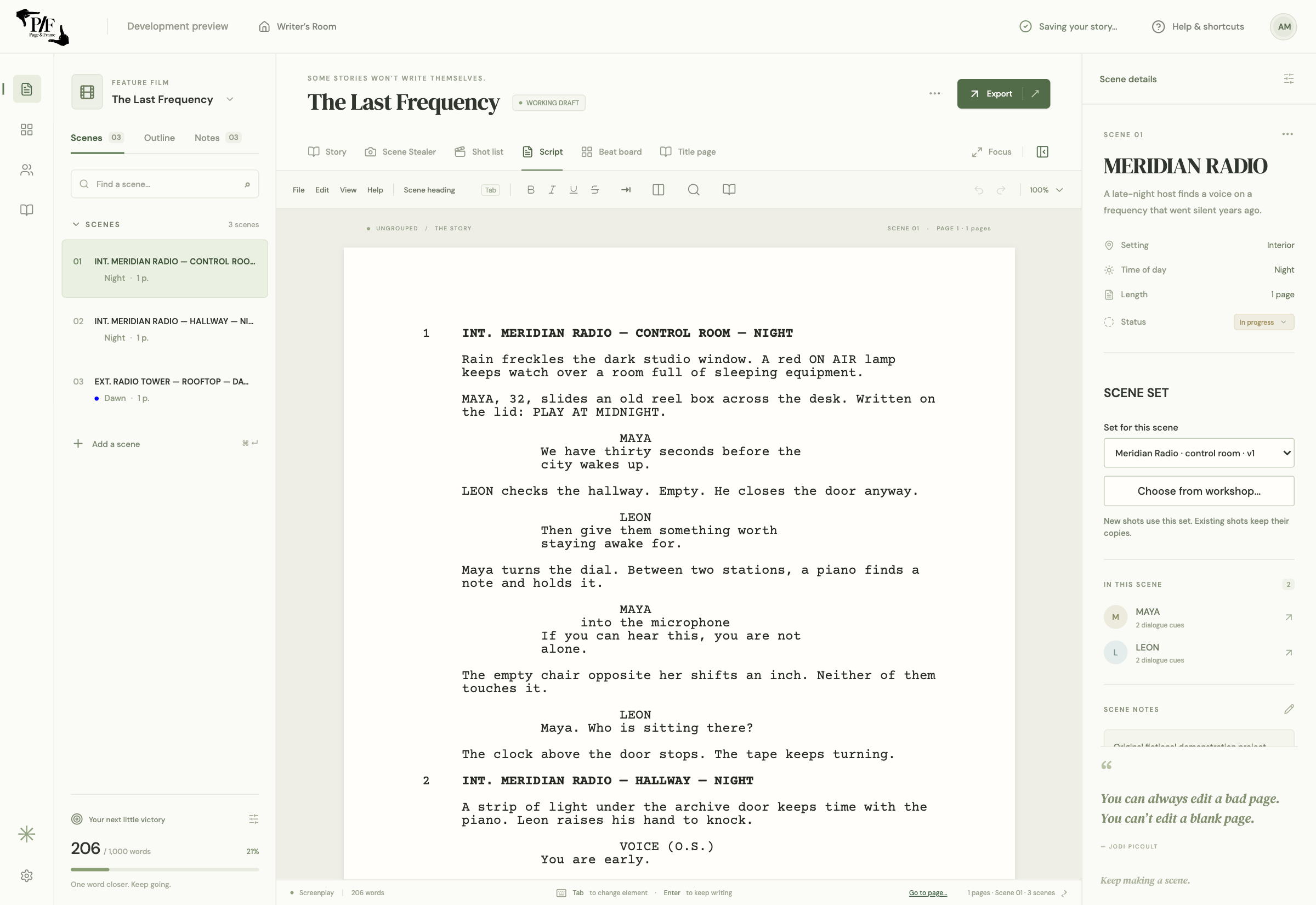
Page & Frame is a desktop screenplay editor for writers who also want to plan how a scene will look. Write offline, import a Final Draft script, and keep story beats, reusable sets and visual coverage in the same local project.
Apple Silicon Mac launch in preparation · Public sales not open yet
- FDX & Fountain import
- Dual dialogue
- Local project files
Stay with the scene.
A script is more than a document with a monospace font. Scene headings, action, character cues, dialogue and parentheticals have different jobs. Page & Frame gives them screenplay formatting, alongside title pages, inline styling, search and scene navigation. Dual dialogue lets two speakers share the page when their lines overlap. Use the editor for the writing itself, then move into visual planning when the scene is ready for a camera.
Bring an existing FDX screenplay.
The launch interchange workflow focuses on importing Final Draft (.fdx) or Fountain and continuing in a native Page & Frame project. Keep your original, read the import report, and review the title page, dialogue, scene headings and formatting before making the imported copy your working draft. FDX import is not a promise of identical page breaks, full revision/version-history transfer or a guaranteed edited round trip back to Final Draft. Those distinctions matter when another person is still working in the original application.
Outline without rearranging your draft by accident.
Story planning and screenplay order serve different purposes. Independent planning beats can link to actual screenplay scenes without moving the script when the outline changes. The separate scene beat board can deliberately reorder screenplay scenes. That gives you room to explore an alternative structure while keeping a working draft intact. A scene link takes you to the writing; visual coverage stays associated with the scene it belongs to.
A local writing workflow with a visual next step.
Save the native project on your Mac and use autosave, previous-save backups and recovery alongside your own backups. Core writing and 3D planning do not require an account or an AI subscription. You can choose a saved set for a scene, position actors and a camera, and capture coverage when you are ready. Optional connected AI uses your own provider account and sends the material you request to that provider; it is separate from ordinary offline writing.
Is this a Final Draft alternative?
It is an independent option for writers who want screenplay writing and integrated visual planning. It does not claim every Final Draft production feature or exact file/pagination parity. Compare the actual workflow and compatibility limits before switching a production draft.
The whole creative workspace
Write it. Build it.
See it.
Page & Frame brings screenplay writing, story planning, reusable 3D sets and visual shot planning together.
US$69.99 launch · US$99.99 planned regular · plus applicable tax
Planned one-time purchase for one computer. Lifetime use of the purchased major version and its updates; future major upgrades may cost extra. Apple Silicon Mac/macOS 13+ first. Windows and Intel Mac downloads are not offered at launch.
Join the launch list ↗