Start with what the audience needs to see.
A storyboard is a sequence of frames that explains a scene visually. You do not need polished drawings: a doorway, two stick figures and an arrow can communicate where the action happens. Begin with the change in the scene. If one character discovers someone at the window, the important frames might establish the room, show the discovery and reveal the reaction. Draw the information that changes, rather than making a new panel for every spoken line.
Choose the space your drawings need.
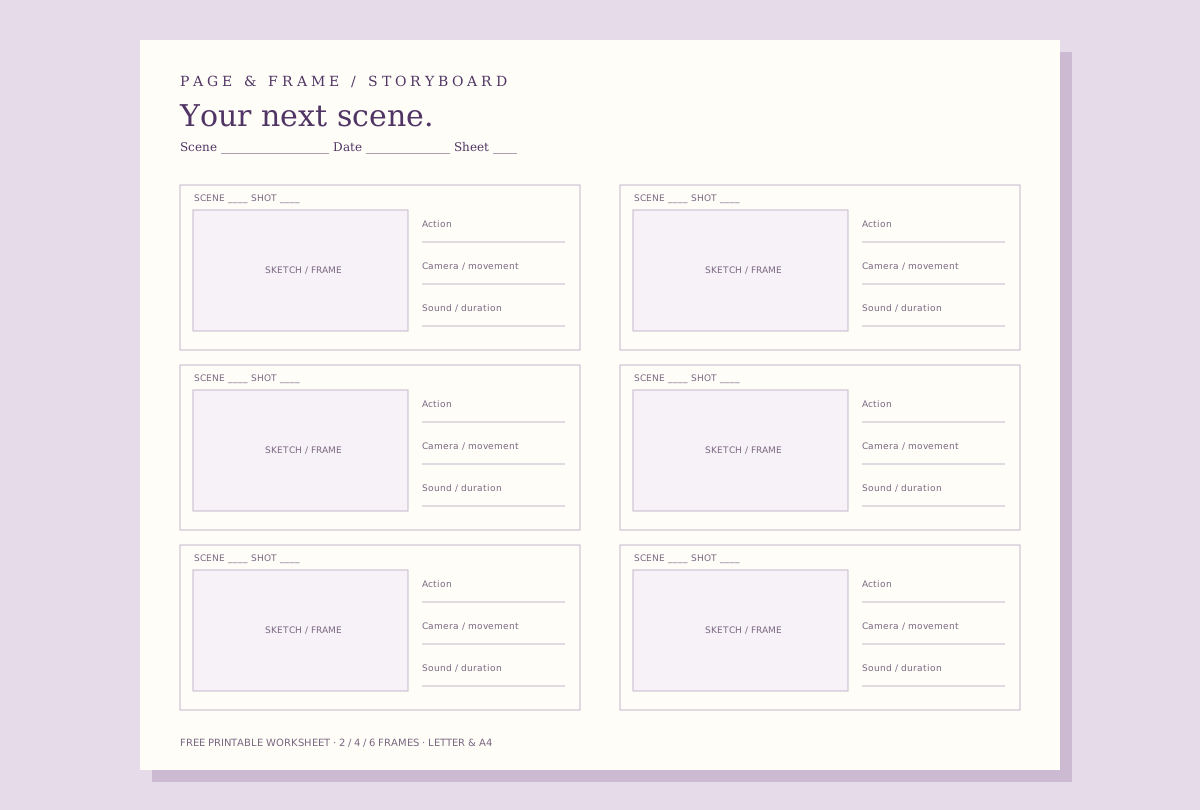
Use two panels per page when you want larger sketches or extra room for notes. Four panels offer a useful balance for a short scene. Six panels make it easier to review a sequence on one sheet. The downloadable PDFs use widescreen 16:9 frames; the browser tool also offers 2.39:1 and 4:3 guides. These are composition references. Choose the actual delivery aspect ratio with your production team rather than assuming that the worksheet determines your film format.
Give the drawing a practical caption.
Label the scene and shot, then describe the visible action in a short sentence. “She notices the open window” is easier to use than a paragraph about the character’s entire history. Use the camera line for a wide view, close-up, lens idea or movement. Use the sound line for dialogue, an important effect or silence. A written duration can help you test pacing, but it is an estimate to revise as you rehearse or edit.
Read the sequence before adding more coverage.
Lay the sheets in story order and check that someone else can follow them. Can they tell where each person is looking? Does a close-up reveal information or repeat the previous frame? Is there a missing reaction between an event and its consequence? Number inserts clearly when you add coverage later. Storyboard order is usually audience order; a working shot list can group those same shots by location or camera setup to make the shoot more practical.
Move from paper to a connected visual plan.
Use the worksheet on its own, with a drawing app, or alongside a screenplay. In Page & Frame, Scene Stealer connects screenplay scenes, reusable 3D sets and captured camera frames. Manual staging can help you explore an angle without redrawing the location. The free browser worksheet does not open native app projects, add actors, upload reference images or generate drawings. Those are separate workflows; your production and scene titles in this tool stay in the page and are not submitted to the signup form.
Can I use these storyboard templates for a real film?
Yes. You may use these original blank worksheets for your own planning, including commercial productions and classroom exercises. Share the link with collaborators. No account, email or app installation is required. The optional launch list below is separate from the free tool.